
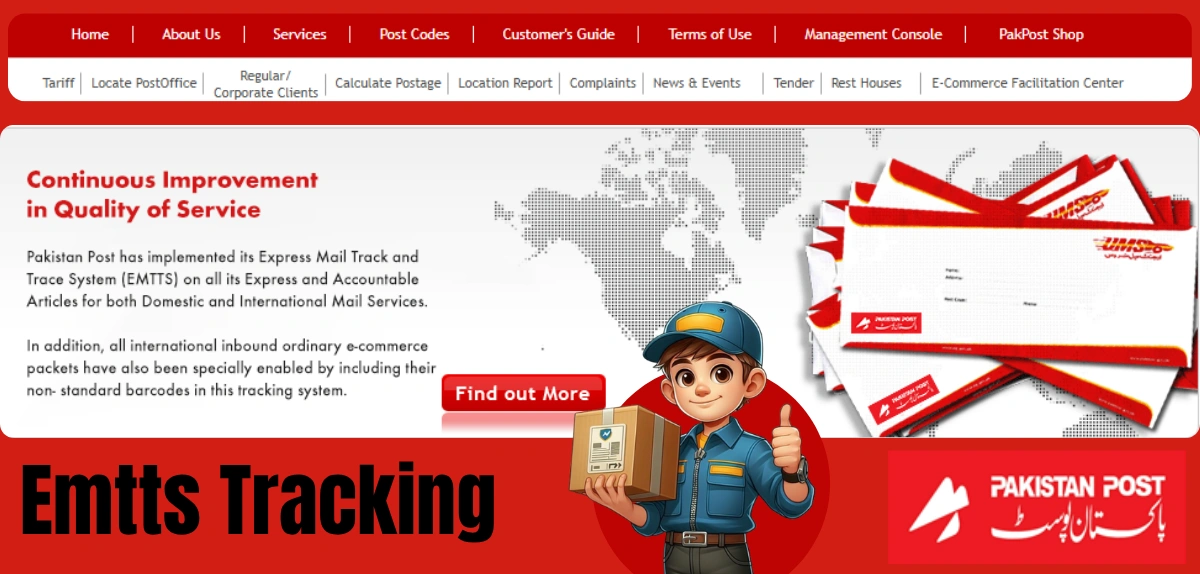
Direct Answer: EMTTS (Express Mail Track & Trace System) is Pakistan Post’s official online platform where you can track your parcels and mail in real time. Visit https://ep.gov.pk/, enter your EMTTS tracking number, and instantly see your package’s location and delivery status. It’s free, secure, and works 24/7 to keep you updated on your shipments.
Disclaimer: This article is based on information from Pakistan Post’s official website (https://ep.gov.pk/) as of september 2026. Delivery times, services, and procedures may change without notice. For the most current and accurate information, always refer to the official Pakistan Post website or contact their help line at 051-111-111-117. Pakistan Post is not responsible for delays beyond its control, including customs clearance, weather, or other unforeseen circumstances. This article is for informational purposes only and does not constitute official Pakistan Post guidance.
Quick Facts About EMTTS Tracking
| Fact | Detail |
|---|---|
| Official Name | Express Mail Track & Trace System (EMTTS) |
| Operated By | Pakistan Post (Government Service) |
| Official Website | https://ep.gov.pk/ |
| Cost | Free to use |
| Available 24/7 | Yes |
| Tracking Method | Online via website or mobile app |
| Mobile App | Pakistan Post Mobile App available |
| Customer Help Line | 051-111-111-117 |
| Track Internationally | Yes (through EMTTS international tracking) |
| Payment Required | No online payment needed for tracking |
What Is EMTTS Tracking?
EMTTS Pak Post is an online tracking system that lets you monitor your packages and mail in real time. It’s Pakistan Post’s technology that connects senders, receivers, and postal workers so everyone knows where a parcel is at any moment.
Think of it like a map for your mail. When your package moves from one place to another, EMTTS track and trace updates its location. You can check your parcel’s status anytime, anywhere, using your phone or computer.
The system is designed to:
- Show real-time package locations
- Provide delivery status updates
- Display estimated delivery dates
- Help you plan for parcel reception
- Reduce lost or delayed mail concerns
How to Track Your Package: Step-by-Step EMTTS Login Guide
Tracking your parcel with EMTTS login is straightforward. Here’s exactly how to do it:
Step 1: Visit the Official EMTTS Website
Open your web browser and go to https://ep.gov.pk/. This is Pakistan Post’s only official tracking website. Do not use any other tracking website, as Pakistan Post warns that unofficial sites may not be genuine or safe.
Step 2: Find the Tracking Section
On the home page, look for the tracking option. You’ll see a field labeled “Tracking ID” or similar. This is where you enter your tracking information.
Step 3: Enter Your EMTTS Tracking Number
Your EMTTS tracking number (also called a Tracking ID) appears on your postal receipt or parcel label. It’s a unique number that identifies your shipment. Type this number into the tracking field carefully—even one wrong digit will prevent your parcel from showing up.
Step 4: Click Track or Search
Press the “Track” or “Search” button. The website will connect to Pakistan Post’s database and pull up your parcel information.
Step 5: View Your EMTTS Dakkhana (Delivery Details)
Within seconds, you’ll see detailed information about your package. This typically includes:
- Current location
- Delivery status
- When it was last scanned
- Estimated delivery date
- Recipient information
Understanding Your EMTTS Tracking ID
Your EMTTS tracking ID is the most important piece of information you need. Without it, you cannot track your parcel.
Where to find your EMTTS Tracking Number:
- On your postal receipt (given at the post office)
- On the parcel label (printed on the package)
- In confirmation emails from online sellers
- In SMS alerts from Pakistan Post
What the number tells you:
The tracking ID is a unique identifier assigned to your specific parcel. No two parcels share the same EMTTS tracking number. This ensures that when you search, you see only your package’s information, keeping your privacy protected.
Important note: Pakistan Post recently emphasized that the official EMTTS tracking system is only available at https://ep.gov.pk/. Any other website claiming to track Pakistan Post packages is not official and may be fraudulent. Always use the government’s official platform.
EMTTS Tracking Status: What Do These Statuses Mean?
When you track your EMTTS Pakistan Post parcel, you’ll see status updates. Here’s what the most common ones mean:
Common EMTTS Tracking Statuses
| Status | What It Means | What Happens Next |
|---|---|---|
| Booked | Parcel received and registered at post office | Moving to sorting center |
| In Transit | Package is traveling to destination post office | Will arrive at local office soon |
| Arrived at Destination | Parcel has reached the destination post office | Waiting for delivery to recipient |
| Out for Delivery | Package is with delivery postman en route to you | Should arrive today or tomorrow |
| Delivered | Successfully delivered to recipient | Delivery complete |
| On Hold | Parcel waiting for customs clearance (international) | Duty/tax payment may be needed |
| Returned to Sender | Package could not be delivered | Check EMTTS login for reason |
How Long Does Pakistan Post EMTTS Delivery Take?
Delivery time varies based on several factors:
Within Pakistan (Domestic EMTTS Track):
- Within same city: 2-3 business days
- Different cities (nearby): 3-5 business days
- Different provinces (far cities): 5-7 business days
- Remote areas: 7-10 business days
International EMTTS Tracking:
- Neighboring countries: 5-10 business days
- Distant countries: 10-21 business days
- Very remote locations: 21+ business days
These are estimates. Actual delivery depends on:
- Customs clearance (for international parcels)
- Weather conditions
- Parcel weight and size
- Post office workload
- Holidays and Sundays (Pakistan Post now operates on Sundays, 9 AM – 4 PM)
Pakistan Post EMTTS Services: What Can You Track?
Pakistan Post offers several services through EMTTS Pak Post. Not all services use real-time tracking, but major ones do:
Services with EMTTS Track and Trace:
- Express Mail Service (EMS): Fast domestic and international delivery
- Registered Mail: Standard mail with receipt confirmation
- Speed Post: Quick delivery within Pakistan
- International Mail: Parcels sent abroad
- E-Commerce Facilitation: Packages from online shopping
Other Pakistan Post services may have different tracking systems. When you submit your EMTTS tracking number, the system automatically identifies which service your parcel uses.
Important: Pakistan Post collects customs duties and taxes on international parcels through its manual system at the destination post office. There is no online payment system for these charges. When your parcel arrives and shows “On Hold” status, visit your local post office to pay any applicable fees.
Common EMTTS Tracking Problems and Solutions
Problem 1: “Tracking Number Not Found”
Why this happens:
- Wrong EMTTS tracking ID entered
- Typo in the number
- Parcel not yet entered into system (within 24 hours of booking)
- Using unofficial tracking website
Solution:
- Double-check your tracking number carefully
- Wait 24 hours after booking before tracking
- Use only https://ep.gov.pk/
- Contact Pakistan Post customer care if number is correct
Problem 2: “No Update for Several Days”
Why this happens:
- Parcel delayed due to weather or high volume
- Customs clearance taking longer (international parcels)
- Scanning equipment malfunction at a facility
Solution:
- Wait a few more days (delays are common)
- For international parcels, contact customs authority
- Call Pakistan Post help line: 051-111-111-117
- Visit your local post office with receipt
Problem 3: “EMTTS Login Not Working”
Why this happens:
- Website temporarily down for maintenance
- Your browser has cached old data
- Internet connection issue
- JavaScript disabled in browser
Solution:
- Try again in a few minutes
- Clear your browser cache and cookies
- Refresh the page (Ctrl+F5 or Cmd+Shift+R)
- Try a different browser
- Check your internet connection
- Enable JavaScript in browser settings
Problem 4: “Parcel Shows ‘Delivered’ But I Didn’t Receive It”
Why this happens:
- Delivered to a safe place (doorstep, neighbor, building guard)
- Recipient name mismatch
- Wrong address on parcel
- Delivery person couldn’t find exact location
Solution:
- Check around your delivery location carefully
- Ask neighbors if they received it
- Check with building guard or household members
- Call 051-111-111-117 to confirm delivery details
- File a complaint with Pakistan Post if genuinely missing
Problem 5: “Parcel Stuck at Customs”
Why this happens:
- International parcel requires duty/tax payment
- Customs inspection needed for restricted items
- Missing or incomplete documentation
- High-value items requiring special clearance
Solution:
- Status will show “On Hold” in EMTTS Pakistan Post tracking
- Visit your local post office with parcel tracking number
- Pay applicable customs duty and taxes
- Provide any requested documentation
- Parcel will be released for delivery after payment
How to Use the Pakistan Post Mobile App for EMTTS Tracking
In addition to the website, Pakistan Post offers mobile apps for tracking:
Pakistan Post Mobile App:
- Download from your phone’s app store
- Features EMTTS log in functionality
- Allows push notifications for status updates
- Works offline for previously saved tracking numbers
Pakistan Post EAD App:
- Available on Google Play Store
- Enhanced tracking features
- Real-time notifications
- User-friendly interface
Both apps use the same EMTTS track and trace data as the website, so your tracking information is always current.
Pakistan Post Customer Care and Support
If you face issues with EMTTS login or tracking, here’s how to get help:
Official Contact Information
| Service | Contact Details |
|---|---|
| Help Line | 051-111-111-117 |
| Website | https://ep.gov.pk/ |
| Complaints | https://ep.gov.pk/complaints.asp |
| Customer Care Centers | https://ep.gov.pk/Customer_Care.asp |
| Find Post Office | https://ep.gov.pk/locatepos.asp |
Operating Hours:
- Pakistan Post now operates on Sundays from 9 AM – 4 PM
- Regular post office hours vary by location
- Help line available during business hours
What to have ready when contacting:
- Your EMTTS tracking number
- Your receipt or booking confirmation
- Parcel description (what was sent)
- Date of sending
- Recipient details
Conclusion
EMTTS Tracking makes it simple to monitor Pakistan Post parcels and stay informed about every delivery update. By using your tracking number on the official platform, you can quickly check your shipment status, location, and delivery progress. Whether your parcel is domestic or international, regular tracking helps you identify delays and take timely action when needed. For the most accurate information, always use the official Pakistan Post tracking system and contact customer support if your shipment requires further assistance.
Frequently Asked Questions
Q1: What does EMTTS stand for?
A: EMTTS stands for “Express Mail Track & Trace System.” It’s Pakistan Post’s official online tracking platform for monitoring parcels and mail.
Q2: How do I find my EMTTS tracking number if I lost my receipt?
A: Check emails from the sender or online store—they usually include the tracking number. If you’re the sender, check the post office receipt. Contact Pakistan Post with parcel details (date, recipient name, address) at 051-111-111-117.
Q3: Can I track international parcels with EMTTS Pakistan Post tracking?
A: Yes. EMTTS has an international tracking section at https://ep.gov.pk/international_tracking.asp for tracking mail sent abroad. Use the same tracking number entered on the parcel.
Q4: Is EMTTS tracking free?
A: Yes, EMTTS track and trace is completely free. You don’t pay anything to track your parcel online.
Q5: Why does my EMTTS tracking show “On Hold”?
A: “On Hold” typically means the parcel is waiting for customs clearance (for international mail) or requires duty/tax payment. Visit your local post office to complete the process.
Thank you for reading! Found this helpful? Check out our previous blog on:
- CPEX Tracking
- CCTL Container Tracking
- HTPL Tracking
- CITPL Container Tracking
- BMCT Container Tracking
- Tirupati Courier Tracking Shipway
- Igtpl Container Tracking
- Criticalog Tracking
- Isky Tracking
For complete details and real-time tracking updates, click on tirupaticourierservices.
